
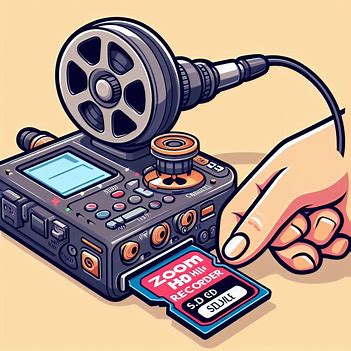
For oral historians, the Zoom H1n is a beloved tool. Its compact size, ease of use, and surprisingly good audio quality make it a go-to for capturing invaluable spoken memories. However, one crucial aspect that often trips up users, particularly those new to the H1n, is its specific requirements for SD cards. Forget about throwing in any old card – the H1n has a discerning taste!
This blog post will demystify the Zoom H1n’s SD card compatibility, providing oral historians with the knowledge to ensure seamless, worry-free recording sessions.
The Golden Rule: microSDHC, Up to 32GB!
The most critical piece of information you need to know about the Zoom H1n’s SD card compatibility is this: it only supports microSD and microSDHC cards, with a maximum capacity of 32GB.
This means:
No microSDXC cards: Cards larger than 32GB (e.g., 64GB, 128GB, 256GB, 1TB) are typically microSDXC. The H1n is not compatible with these. If you insert a microSDXC card, you’ll likely encounter an “invalid SD card” error, and the recorder simply won’t work.
Stick to microSDHC: Look for cards explicitly labeled “microSDHC.” These cards range from 4GB to 32GB.
Class 4 or higher: While the H1n doesn’t demand super-fast write speeds for audio, a Class 4 or higher card (indicating a minimum write speed of 4MB/s) is generally recommended for reliable performance. Most modern microSDHC cards meet or exceed this.
Why the Limitation?
The H1n is an older model in Zoom’s lineup, designed before microSDXC became widespread. Its internal firmware and hardware simply aren’t built to recognize or process the larger file systems and capacities of microSDXC cards.
Recommended SD Cards for Oral Historians
While the Zoom H1n’s official compatibility list on the Zoom website is the definitive source, here are some widely reported and generally reliable microSDHC brands and capacities that oral historians frequently use:
- SanDisk Ultra 32GB microSDHC: A very popular and reliable choice.
- Samsung Evo Select 32GB microSDHC: Another solid performer.
- Lexar 32GB microSDHC: Often a good option.
- Transcend 32GB microSDHC: Known for consistency.
- Kingston 32GB microSDHC: A dependable brand.
Important Note: Even with compatible cards, it’s always a good practice to format the microSD card within the Zoom H1n itself before your first recording session, especially if it’s a new card or has been used in another device. This ensures the card is properly configured for the H1n’s file system, preventing potential errors and ensuring optimal recording.
What if I have a larger microSDXC card?
While the H1n doesn’t natively support microSDXC, some users have reported that formatting a microSDXC card (e.g., a 64GB card) on a Windows computer using a specific file system (like FAT32, which is often the default for smaller cards) might make it recognizable by the H1n. However, this is not officially supported or recommended by Zoom, and its reliability can be inconsistent. For critical oral history work, it’s best to stick to officially compatible microSDHC cards.
Why is this so important for oral historians?
For oral historians, losing an interview due to an incompatible SD card is a nightmare. Hours of meticulous preparation, relationship-building, and invaluable storytelling can be lost in an instant. By understanding and adhering to the Zoom H1n’s SD card compatibility, you safeguard your recordings and ensure the longevity of the voices you are privileged to capture.
Beyond the Card: Other H1n Tips for Oral Historians
While SD card compatibility is key, remember these other tips for maximizing your H1n for oral history:
- Monitor your audio! Always use headphones to monitor your recordings in real-time. This helps you catch any issues with levels, background noise, or microphone placement.
- Use external microphones: For optimal audio quality, consider pairing your H1n with an external lavalier microphone or a small omnidirectional condenser microphone, especially in less-than-ideal acoustic environments. The H1n has a 3.5mm mic/line input with plug-in power.
- Carry spare batteries: The H1n runs on 2 AAA batteries. Always have fresh spares on hand, or consider a USB power bank as the H1n can be powered via its USB port.
- Regularly transfer and back up your recordings: Don’t let your valuable interviews sit on the SD card indefinitely. Transfer them to your computer and back them up to at least two other locations as soon as possible after the interview.
The Zoom H1n, with the right SD card and a little care, remains a powerful and portable tool for oral historians. By paying attention to these compatibility details, you can ensure your recording sessions are smooth, reliable, and ultimately, successful in preserving the rich tapestry of human experience. Happy recording!